Gentoo-LUKS-LVM-BTRFS
Gentoo Linux
Goal
This document will walk you through installing Gentoo Linux with KDE Plasma on top of a Snapper ready BTRFS file system that resides inside a Logical Volume Manager (LVM) Logical Volume (LV) inside a Volume Group (VG) inside a encrypted Linux Unified Key Setup (LUKS) partition
Note: The configuration and usage of Snapper is out of scope for this document.
Target System
In this example our target system is a QEMU/KVM Virtual Machine running
- CPU x86-64-v3, 8 Cores 16 Threads
- Ram 16 GB
- Drive 200GB
- booted via Unified Extensible Firmware Interface (UEFI)
- System Language EN/DE
You have to adjust accordingly for your own needs. Please utilize the official Gentoo Documentation
Preparation
We use an Official Gentoo Linux mirror throughout this installation. Please find one near you via Gentoo Source Mirrors
#Name               Protocol    IPv4/v6	    URL
#Ionos SE (1&1)     https       IPv4 + IPv6 https://eu.mirror.ionos.com//linux/distributions/gentoo/gentoo/
#Ionos SE (1&1)     rsync       IPv4 + IPv6 rsync://eu.mirror.ionos.com/gentoo/
the current Gentoo LiveGUI USB Image is our installation environment.
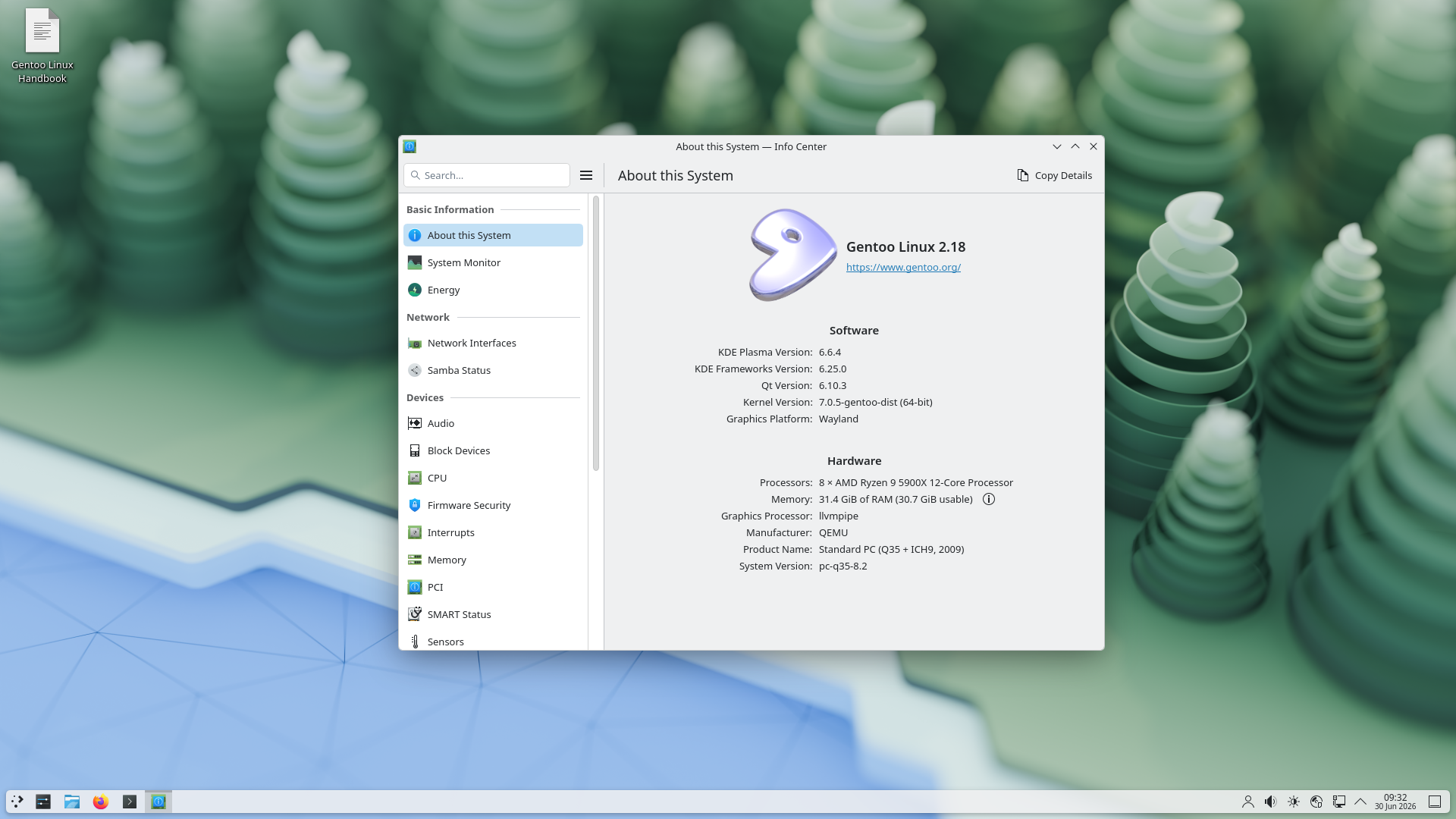
Please adjust the following URL accordingly as the one in this guide is current as of writing.
https://eu.mirror.ionos.com//linux/distributions/gentoo/gentoo/releases/amd64/autobuilds/current-livegui-amd64/livegui-amd64-20260510T170106Z.iso
Now it’s time to boot our machine/VM from the installation environment.
After the system is booted we start with the actual Installation.
Installation
What to install?
Bootstrapping Gentoo is a bit different than other Linux Distributions in so far as it uses a multitude of Stage Files instead of a single small base system tarball.
We make use of the current stage-3 desktop openrc stage file.
Please adjust this URL according to your needs and the latest stage file.
Note: In the context of Gentoo Linux “current” references the rolling release and “stable” the milestone release.
In this guide we will follow current.
https://eu.mirror.ionos.com/linux/distributions/gentoo/gentoo/releases/amd64/autobuilds/current-stage3-amd64-desktop-openrc/stage3-amd64-desktop-openrc-20260614T170130Z.tar.xz
Prepare the Installation Environment
As long as we are in our Installation Environment we will use the sudo command to execute tasks with superuser (root) privileges.
However within the chroot and our newly installed system we will use doas.
sudo -i ≈ doas -s
Open the Console by starting Konsole
Set root password and create our install user
sudo -i
passwd
useradd -m -G users,wheel uwe
passwd uwe
su - uwe
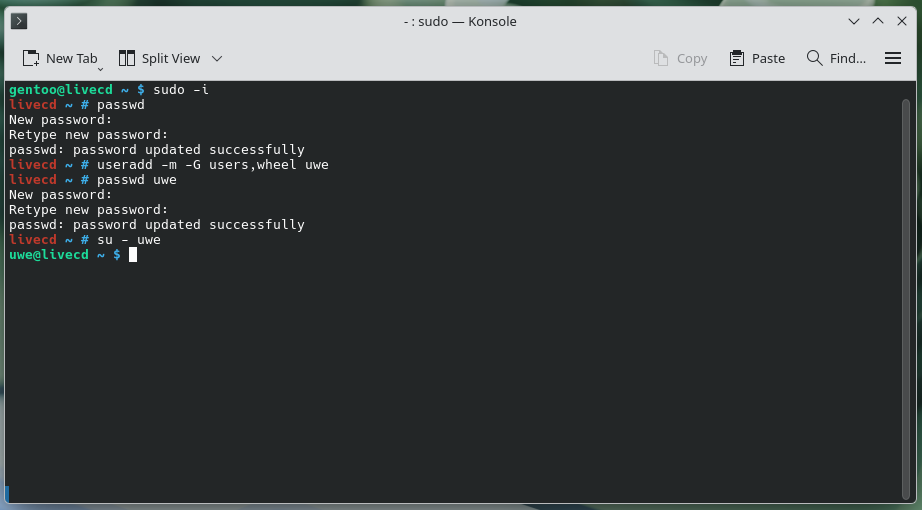
(optional) start sshd
This step can be skipped if the installation is done locally
sudo rc-service sshd start
(optional) get the IP Address of our Install Environment
ip a
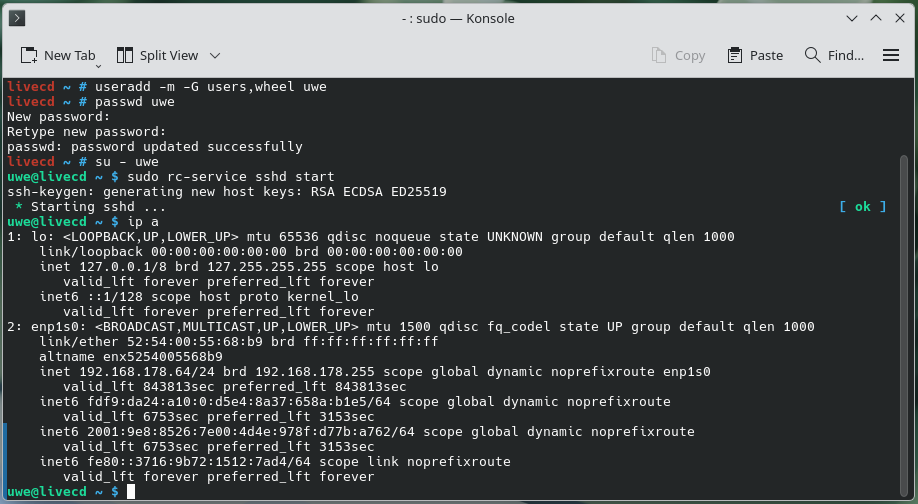
At this point you can either continue the installation locally or ssh into the Installation Environment and continue from remote
All the following steps need to be performed with superuser (root) privileges
sudo -i
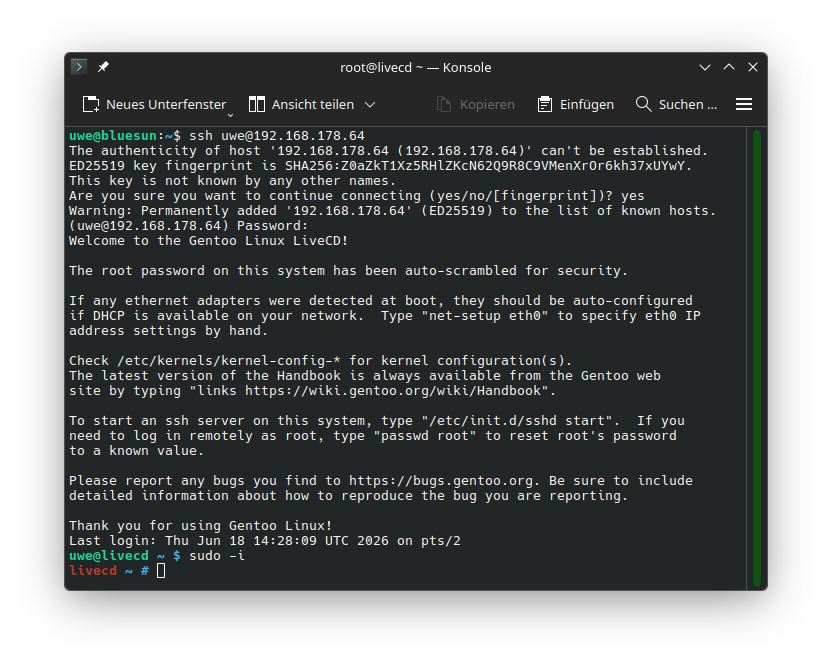
prepare Installation target
our target device is called /dev/vda because it’s a virtio block device other valid targets are
/dev/vd?
/dev/sd?
/dev/nvme?n?
/dev/mmcblk?
Note: replace ? with the number/letter that specifies your target device
sanitize the target device
Wipe the device
Remove all File system, RAID and Partition Table signatures from target device
wipefs -a /dev/vda
(optional) secure erase the target drive
For NVME SSDs perform nvme sanitize /dev/nvme0 -a 0x02 and for all other block devices perform blkdiscard -vfz /dev/vda.
Note: This operation can take a long time depending on size and speed of the target drive.
For more on secure wipe consult the Gentoo Handbook
Partitioning the target device
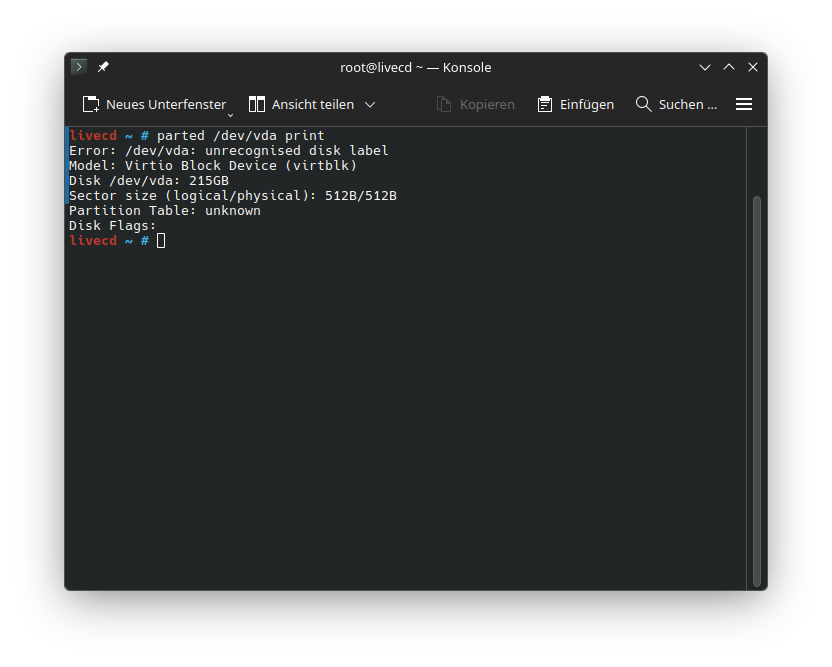
Check that the target is indeed empty
parted /dev/vda print
Create the Partition Table and Partitions
parted /dev/vda mklabel gpt
parted /dev/vda mkpart primary fat32 0% 2.5GB
parted /dev/vda name 1 esp
parted /dev/vda set 1 esp on
parted /dev/vda set 1 boot on
parted /dev/vda mkpart primary 2.5GB 100%
parted /dev/vda name 2 LUKS-crypt
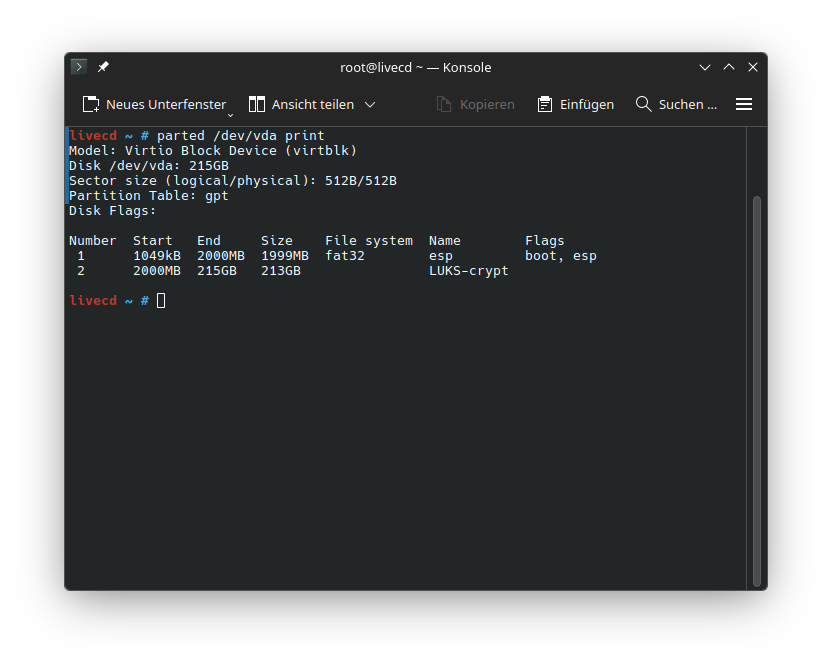
Check that the target device is correctly partitioned
parted /dev/vda print
EFI File system creation
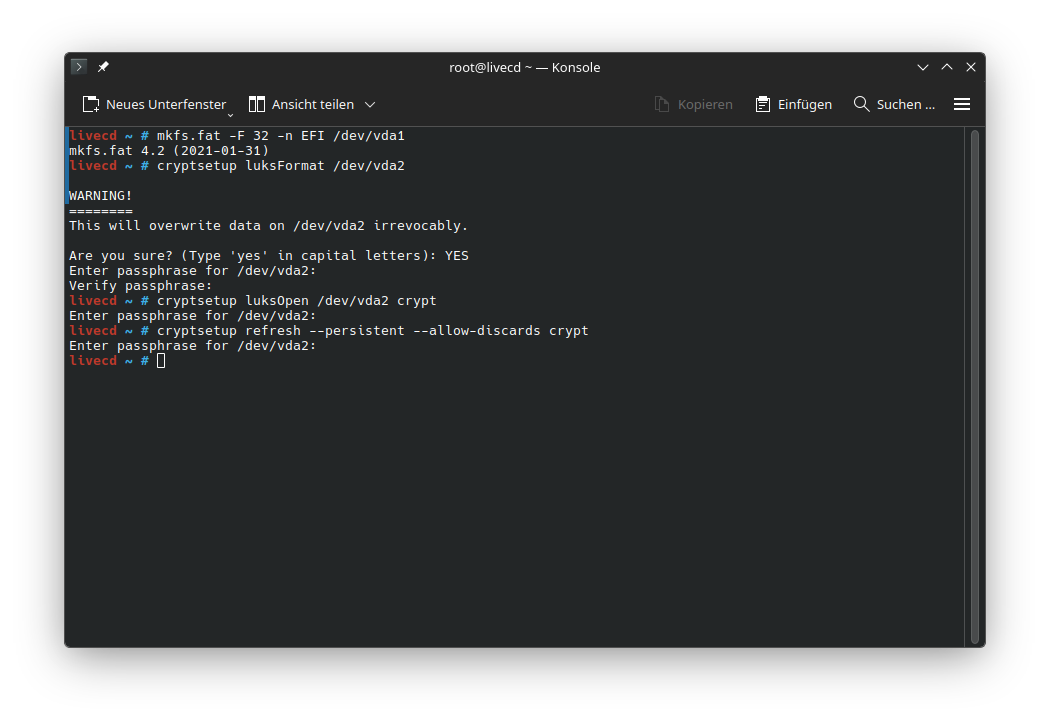
mkfs.fat -F 32 -n EFI /dev/vda1
LUKS Partition creation
cryptsetup luksFormat /dev/vda2
unlock the LUKS Container and map it to /dev/mapper/crypt
cryptsetup luksOpen /dev/vda2 crypt
(optional) enable discards on LUKS
SSD/SD/MMC block devices should enable discards
cryptsetup refresh --persistent --allow-discards crypt
LVM configuration
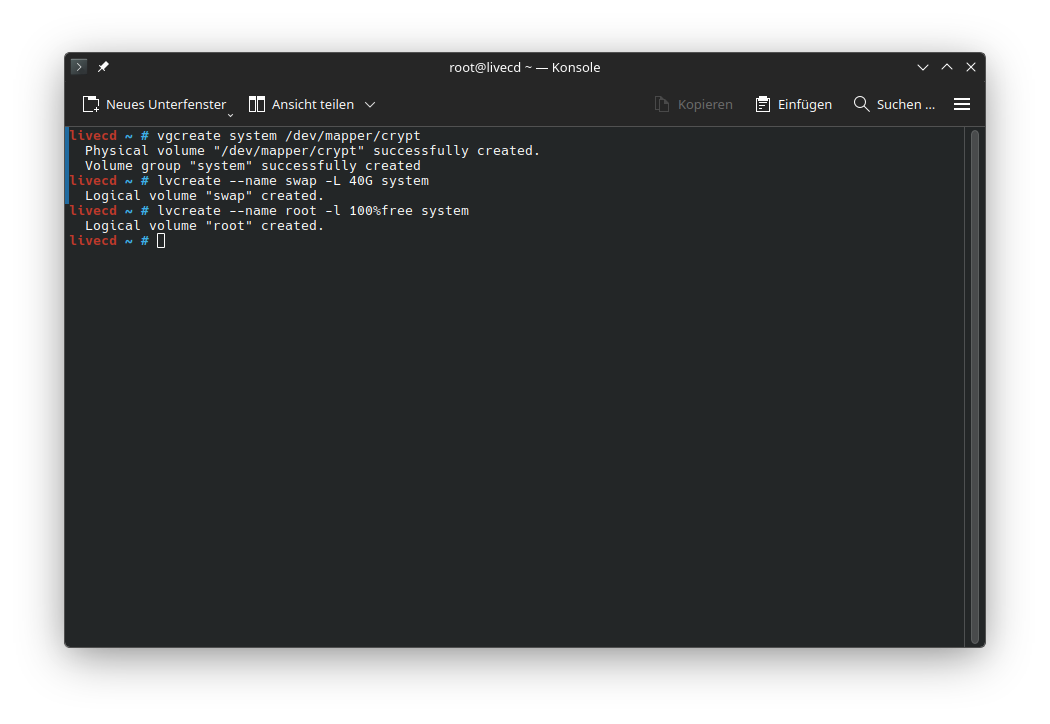
Create a Physical Volume (PV) mapped to our LUKS Container and a Volume Group (VG) named system Note: the Physical Volume (PV) creation on LUKS container is implicit.
vgcreate system /dev/mapper/crypt
We create two Logical Volumes (LV) in our Volume Group (VG) system.
The first LV contains our swap. We name it swap.
A good size for it is RAM Size * 2.5
lvcreate --name swap -L 40G system
The Second LV contains our BTRFS File System. We name it root.
lvcreate --name root -l 100%free system
The LVs are mapped into the system as /dev/{VG}/{LV} and /dev/mapper/{VG}-{LV}
File system Creation
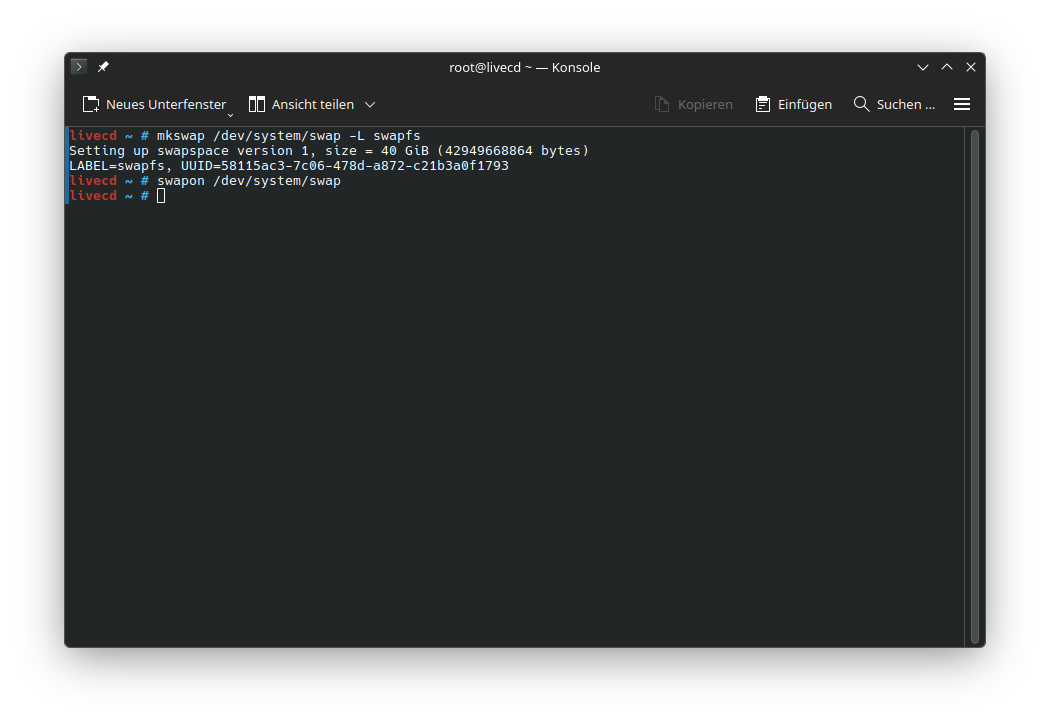
Create swap on /dev/system/swap and name it swapfs
mkswap /dev/system/swap -L swapfs
Enable swap
swapon /dev/system/swap
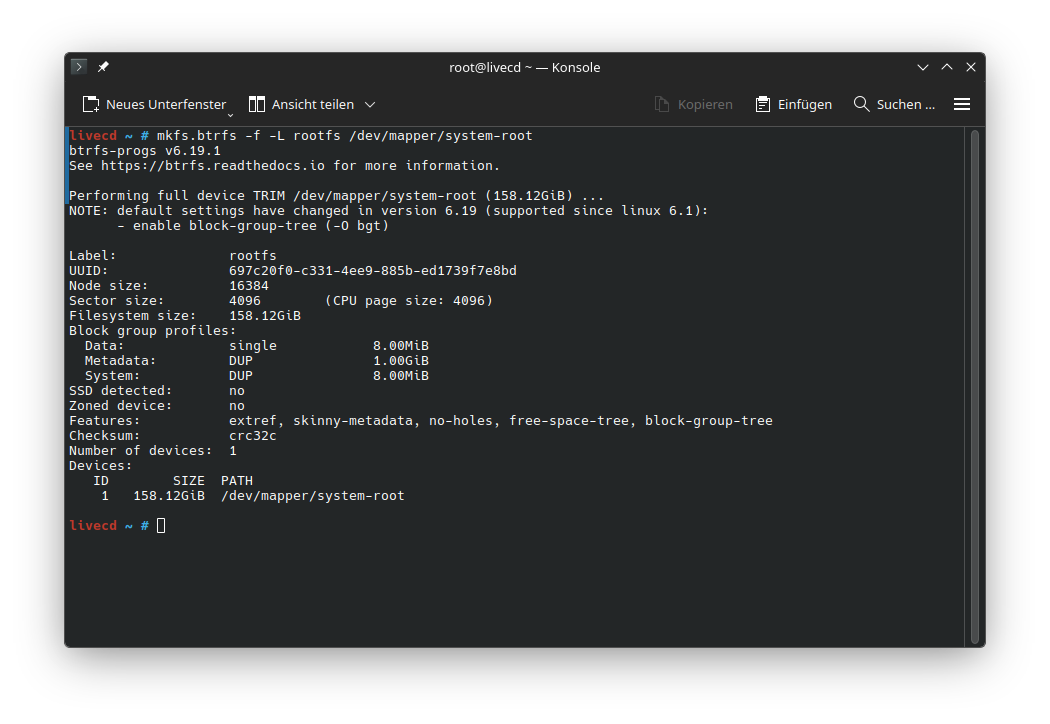
Create BTRFS on /dev/mapper/system-root and name it rootfs
mkfs.btrfs -f -L rootfs /dev/mapper/system-root
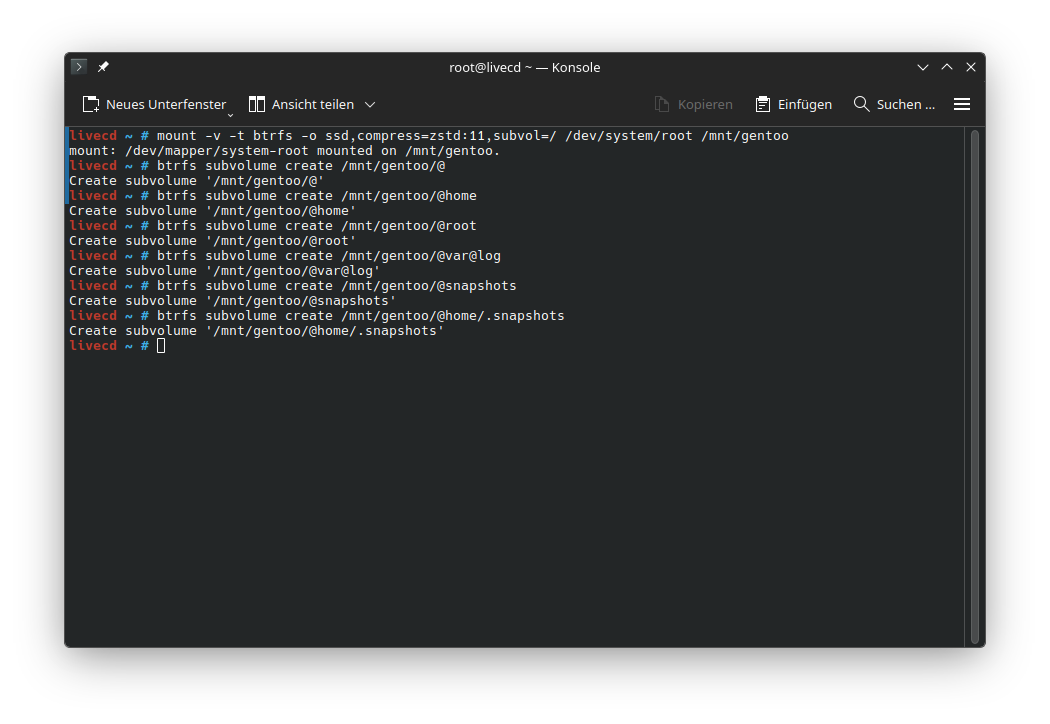
Create the BTRFS Subvolumes
mount -v -t btrfs -o ssd,compress=zstd:11,subvol=/ /dev/system/root /mnt/gentoo
btrfs subvolume create /mnt/gentoo/@
btrfs subvolume create /mnt/gentoo/@home
btrfs subvolume create /mnt/gentoo/@root
btrfs subvolume create /mnt/gentoo/@var@log
btrfs subvolume create /mnt/gentoo/@snapshots
btrfs subvolume create /mnt/gentoo/@home/.snapshots
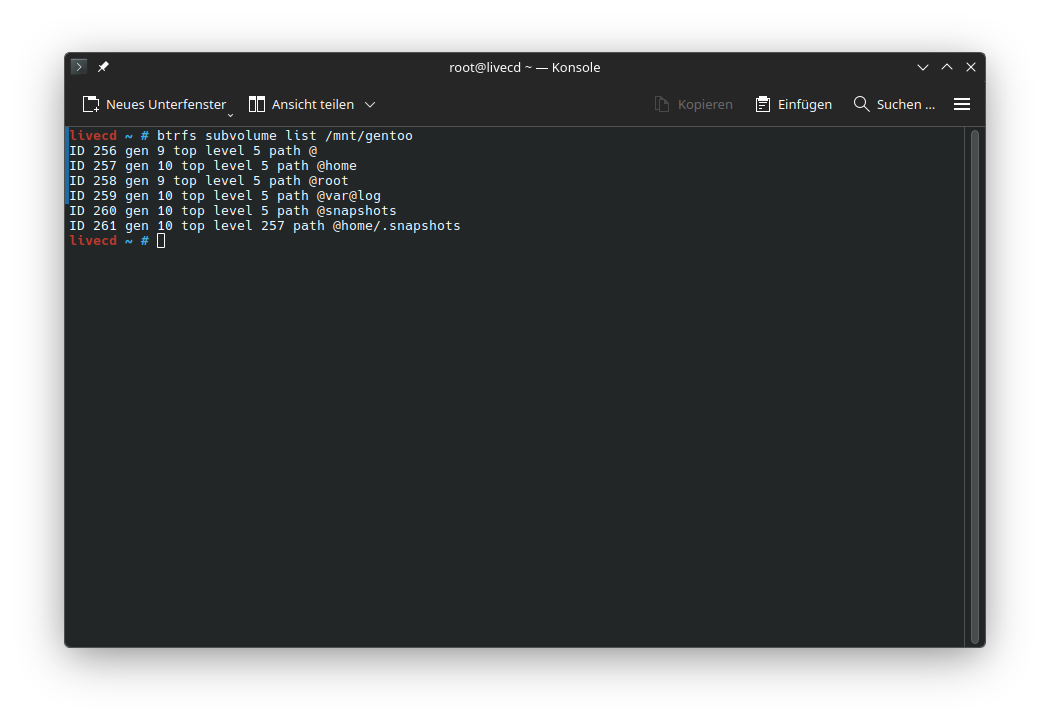
check if all is done correctly
btrfs subvolume list /mnt/gentoo
Set @ as the default subvolume
btrfs subvolume set-default /mnt/gentoo/@
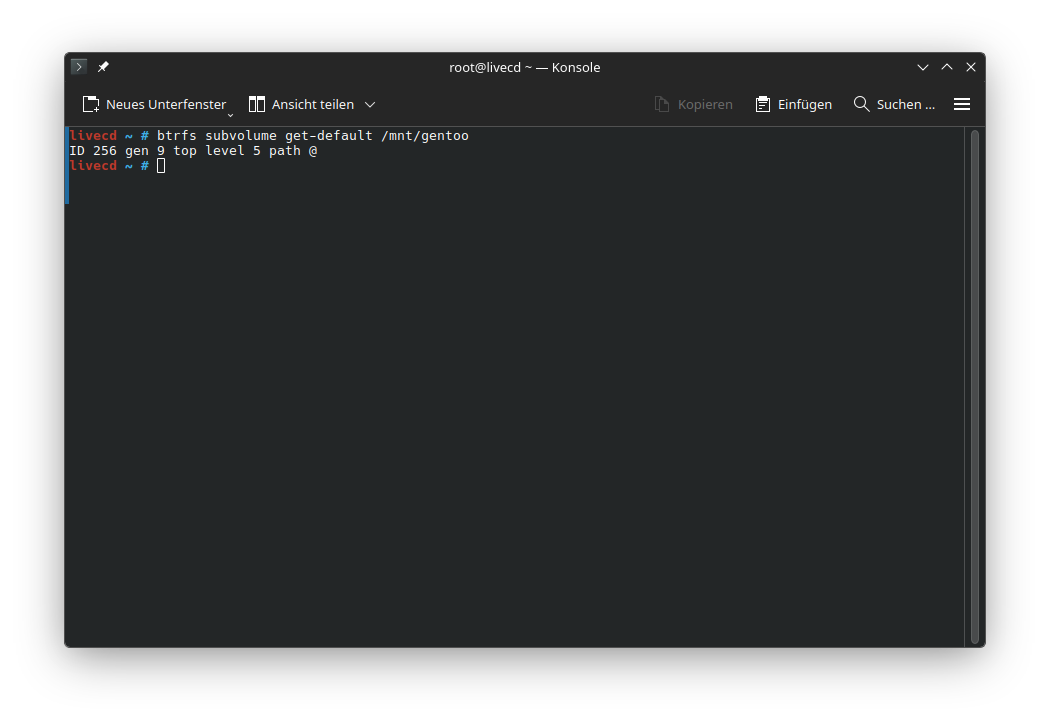
check if it’s set correctly
btrfs subvolume get-default /mnt/gentoo
 cleanup
umount /mnt/gentoo
Mount File systems for use in the chroot Environment
mount -t btrfs -o compress=zstd:11,ssd,noatime,subvol=/@ /dev/system/root /mnt/gentoo
chmod 755 /mnt/gentoo
mount -m -t btrfs -o compress=zstd:11,ssd,noatime,subvol=/@root /dev/system/root /mnt/gentoo/root
mount -m -t btrfs -o compress=zstd:11,ssd,noatime,subvol=/@var@log /dev/system/root /mnt/gentoo/var/log
mount -m -t btrfs -o compress=zstd:11,ssd,noatime,subvol=/@snapshots /dev/system/root /mnt/gentoo/.snapshots
mount -m -t btrfs -o compress=zstd:11,ssd,noatime,subvol=/@home /dev/system/root /mnt/gentoo/home
mount -m -t vfat /dev/vda1 /mnt/gentoo/boot
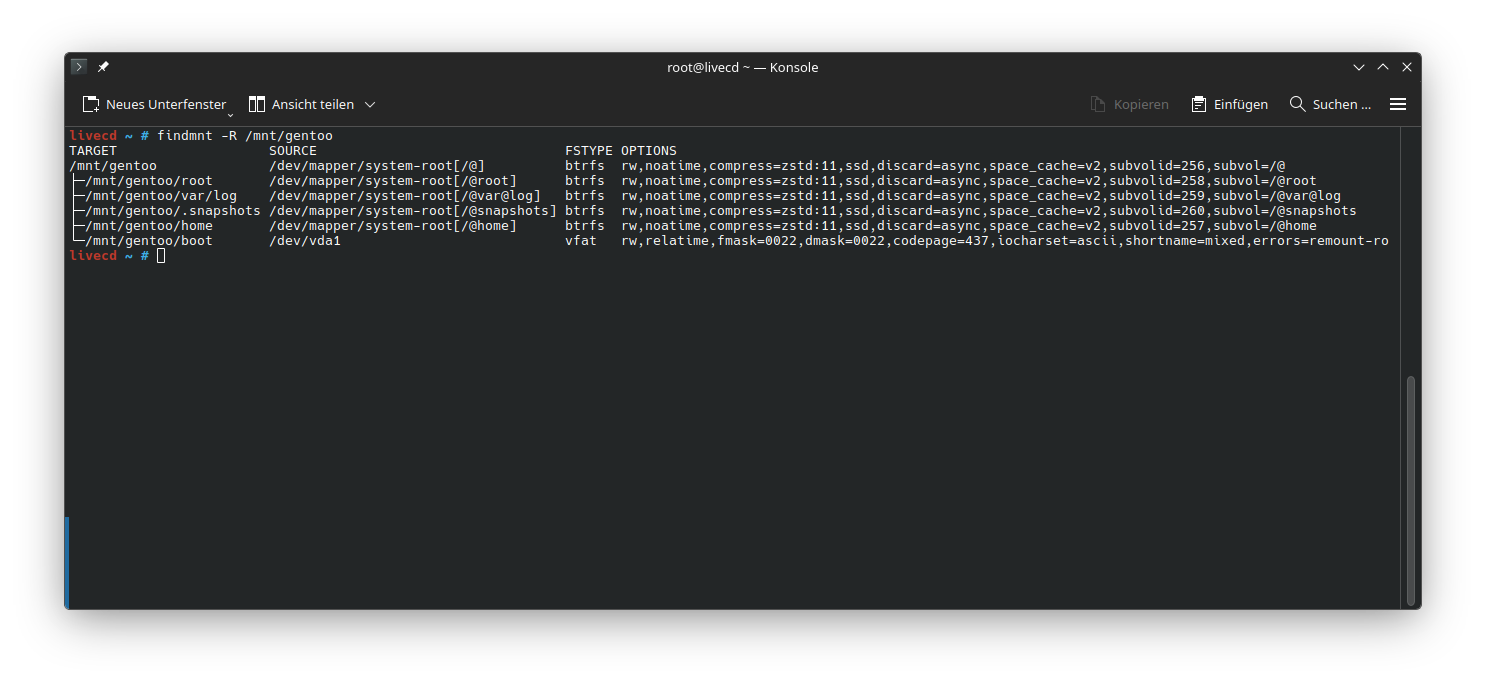
check if everything is mounted in the right place
findmnt -R /mnt/gentoo
Bootstrap Gentoo Linux
Consult the Gentoo Handbook for validation steps and in depth explanations.
Reminder: Make sure you use the correct URL for your chosen mirror and stage file.
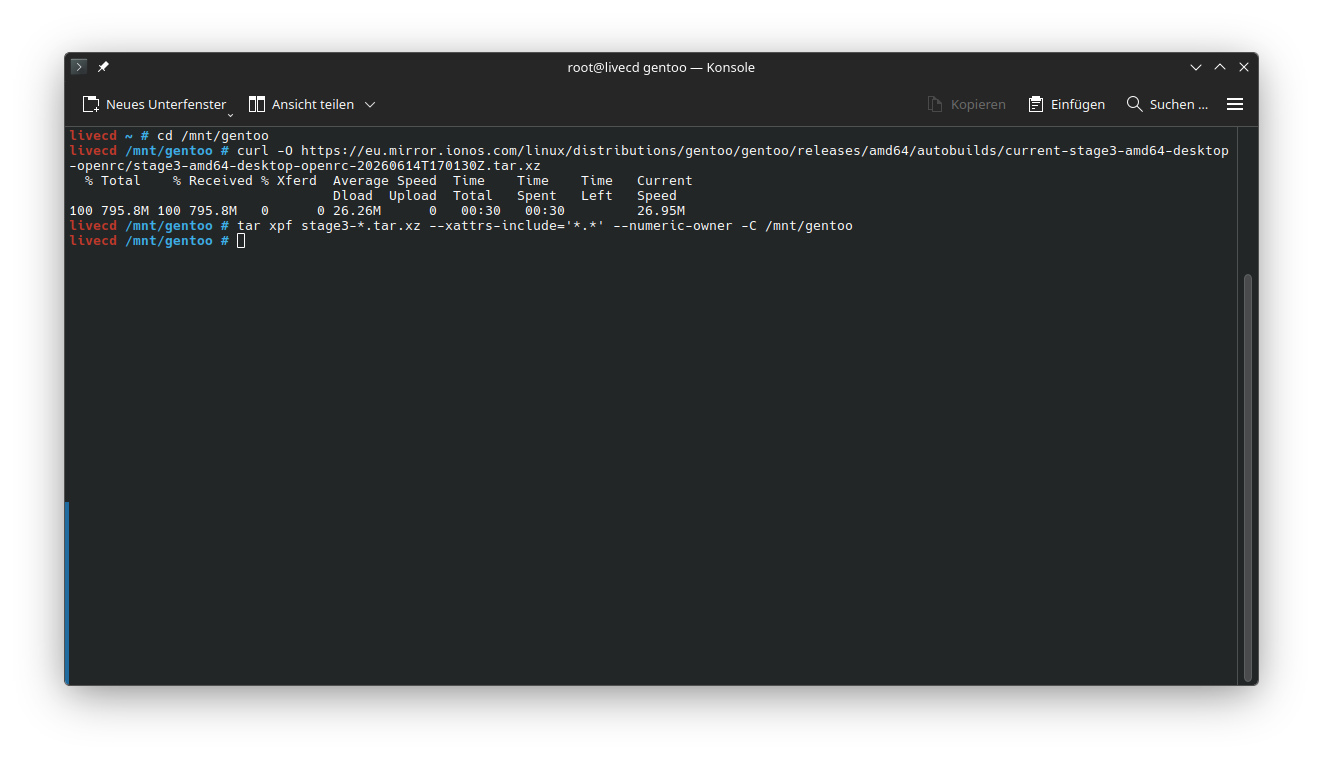
cd /mnt/gentoo
curl -O https://eu.mirror.ionos.com/linux/distributions/gentoo/gentoo/releases/amd64/autobuilds/current-stage3-amd64-desktop-openrc/stage3-amd64-desktop-openrc-20260614T170130Z.tar.xz
tar xpf stage3-*.tar.xz --xattrs-include='*.*' --numeric-owner -C /mnt/gentoo
Copy DNS setting from the Install Environment to the chroot
cp --dereference /etc/resolv.conf /mnt/gentoo/etc/
Put a sane make.conf in place
This /etc/portage/make.conf file is set up for a 8 Cores 16 Threads x86-64-3 system with 32 GB of RAM Note: Don’t forget to set Gentoo_Mirrors= to your local mirror
cat << 'EOF' >  /etc/portage/make.conf
# Please consult /usr/share/portage/config/make.conf.example for a more
# detailed example.
COMMON_FLAGS="-march=x86-64-v3 -O2 -pipe"
CFLAGS="${COMMON_FLAGS}"
CXXFLAGS="${COMMON_FLAGS}"
FCFLAGS="${COMMON_FLAGS}"
FFLAGS="${COMMON_FLAGS}"
RUSTFLAGS="${RUSTFLAGS} -C target-cpu=x86-64-v3"
#conf for 8c/16t with 32 GB RAM
MAKEOPTS="-j8 -l17"

# NOTE: This stage was built with the bindist USE flag enabled

# This sets the language of build output to English.
# Please keep this setting intact when reporting bugs.
LC_MESSAGES=C.UTF-8

GENTOO_MIRRORS="https://eu.mirror.ionos.com/linux/distributions/gentoo/gentoo/"
#Tell thesystem we want to run current switch to "AMD64" for stable
ACCEPT_KEYWORDS="~amd64"

EOF
chroot into the new Gentoo Installation
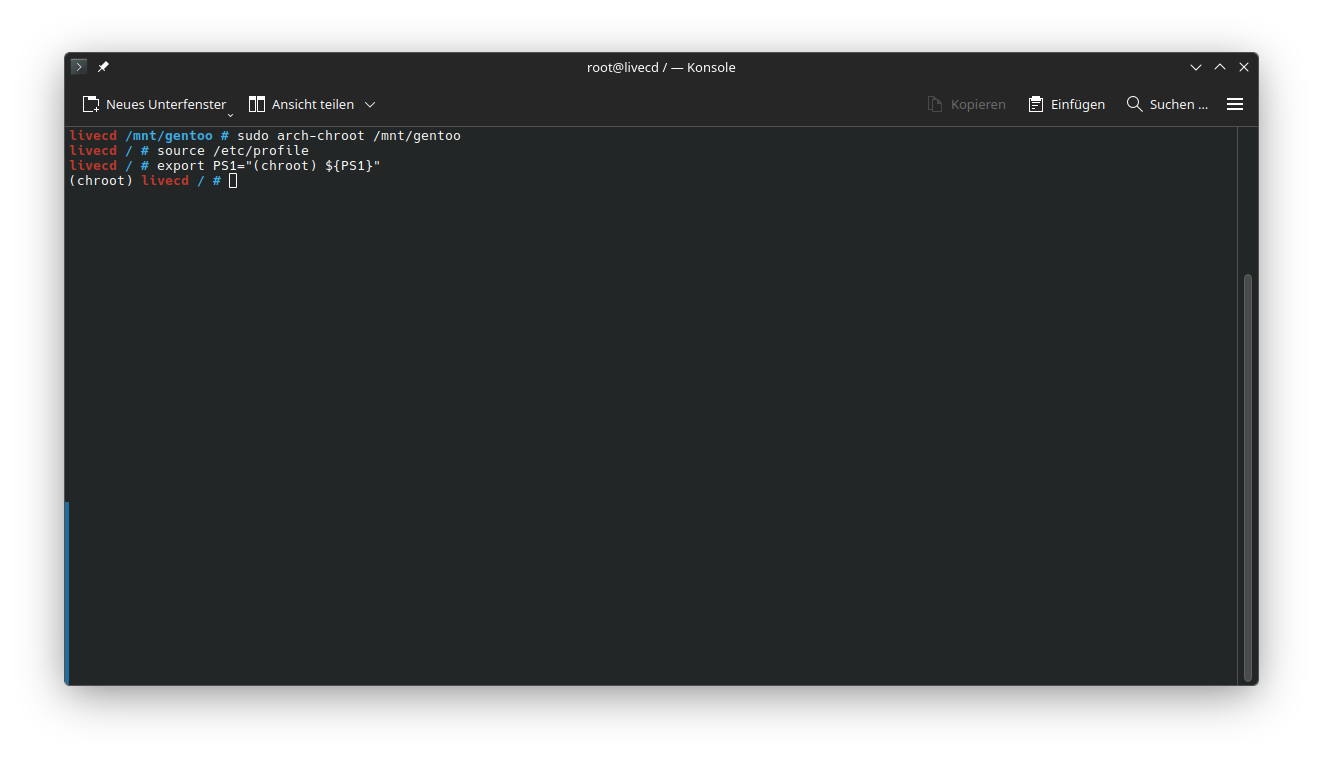
sudo arch-chroot /mnt/gentoo
source /etc/profile
export PS1="(chroot) ${PS1}"
Consult the Gentoo Handbook about Installing the Gentoo base system
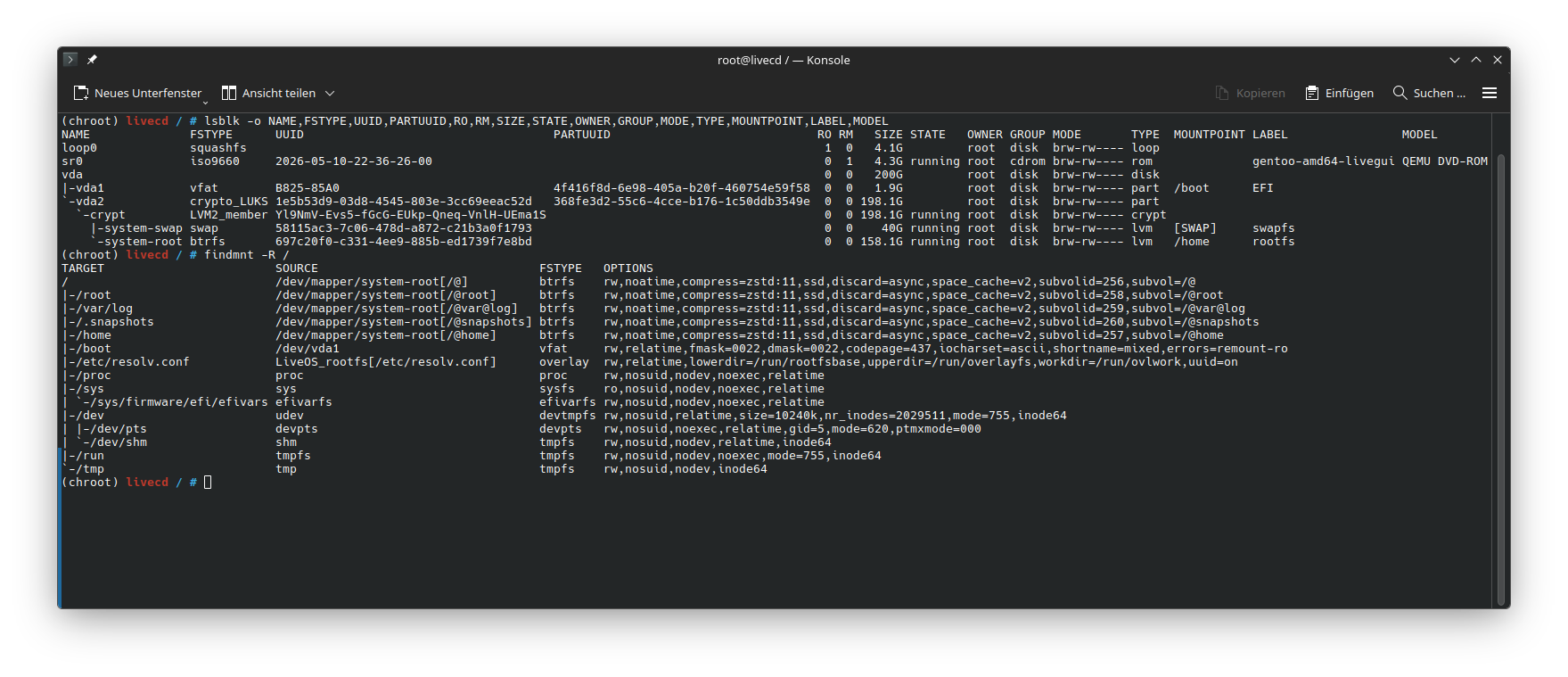
Check mounts
lsblk -o NAME,FSTYPE,UUID,PARTUUID,RO,RM,SIZE,STATE,OWNER,GROUP,MODE,TYPE,MOUNTPOINT,LABEL,MODEL
findmnt -R /
Note: UUIDs device names and size can differ.
Sync up Gentoo Linux
emerge-webrsync
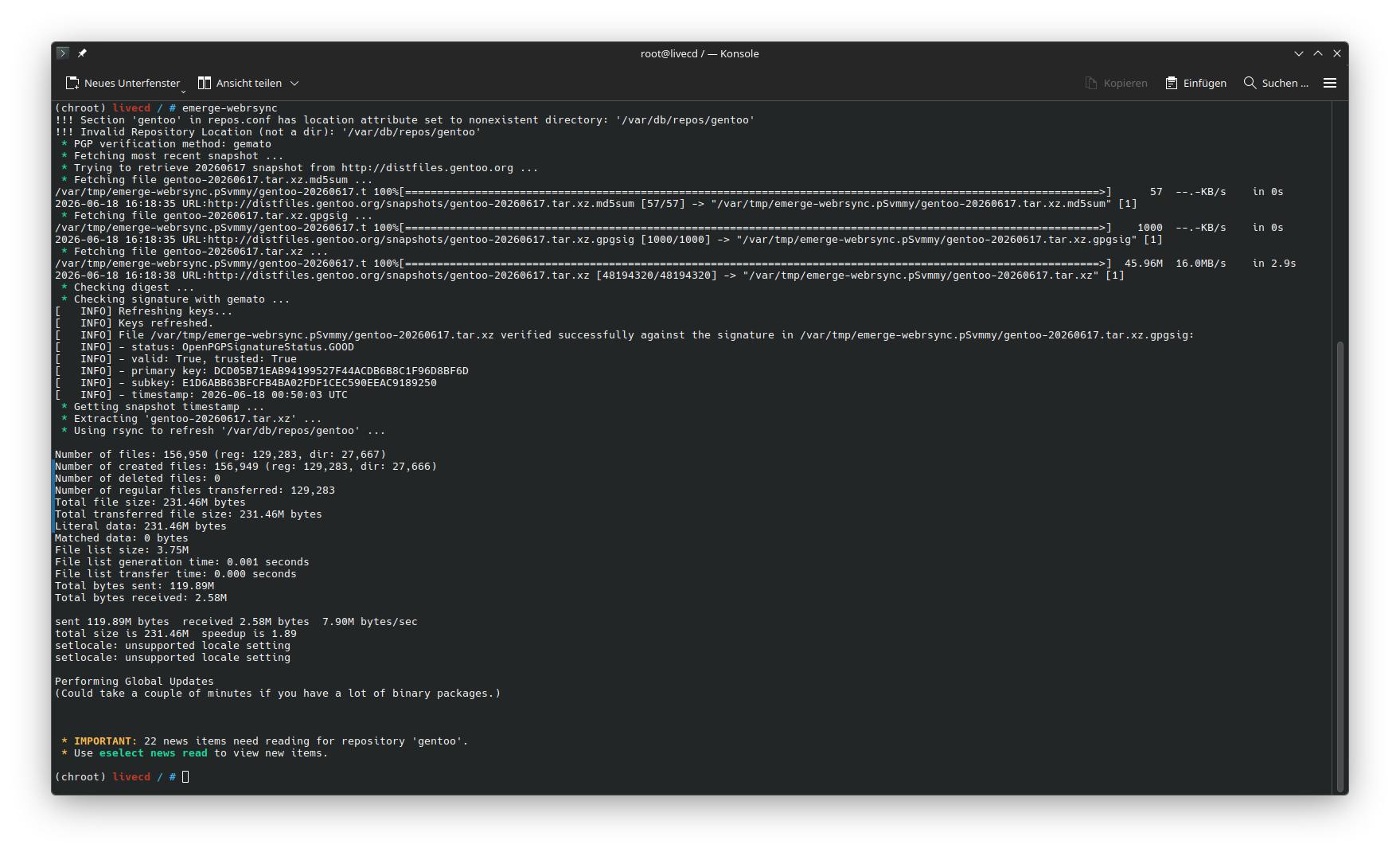
Important: emerge-webrsync overwrites /etc/portage/make.conf as of the time this document was written.
Make sure to rerun Put a sane make.conf in place
Configure Repositories
Configure the rsync mirror
mkdir /etc/portage/repos.conf
cat /usr/share/portage/config/repos.conf | sed 's|rsync://rsync.gentoo.org/gentoo-portage|rsync://eu.mirror.ionos.com/gentoo-portage|g' > /etc/portage/repos.conf/gentoo.conf
Configure the binary package host mirror
mkdir -p /etc/portage/binrepos.conf
cat << 'EOF' > /etc/portage/binrepos.conf/gentoo.conf
[gentoo]
priority = 9959
# NOTE: Must adjust <arch> and <variant> as appropriate!
# sync-uri = https://distfiles.gentoo.org/releases/<arch>/binpackages/<variant>
# x86-64 example sync-uri
sync-uri = https://eu.mirror.ionos.com//linux/distributions/gentoo/gentoo/releases/amd64/binpackages/23.0/x86-64/

# Introduced in portage-3.0.74 for per-repo verification choices
verify-signature = true
# Default value with >=portage-3.0.77
location = /var/cache/binhost/gentoo

[gentoo-x86-64-v3]
priority = 9999
sync-uri = https://eu.mirror.ionos.com//linux/distributions/gentoo/gentoo/releases/amd64/binpackages/23.0/x86-64-v3/
# Introduced in portage-3.0.74 for per-repo verification choices
verify-signature = true
# Default value with >=portage-3.0.77
location = /var/cache/binhost/gentoo-x86-64-v3
EOF
Configure portage to use binary packages
cat <<EOF >> /etc/portage/make.conf
# Appending getbinpkg to the list of values within the EMERGE_DEFAULT_OPTS variable
EMERGE_DEFAULT_OPTS="${EMERGE_DEFAULT_OPTS} --getbinpkg"
BINPKG_FORMAT="gpkg"
USE="${USE} bindist"
EOF
Generate the package signing keyring
getuto
Sync up Gentoo Linux
emerge --sync
Set the System Profile
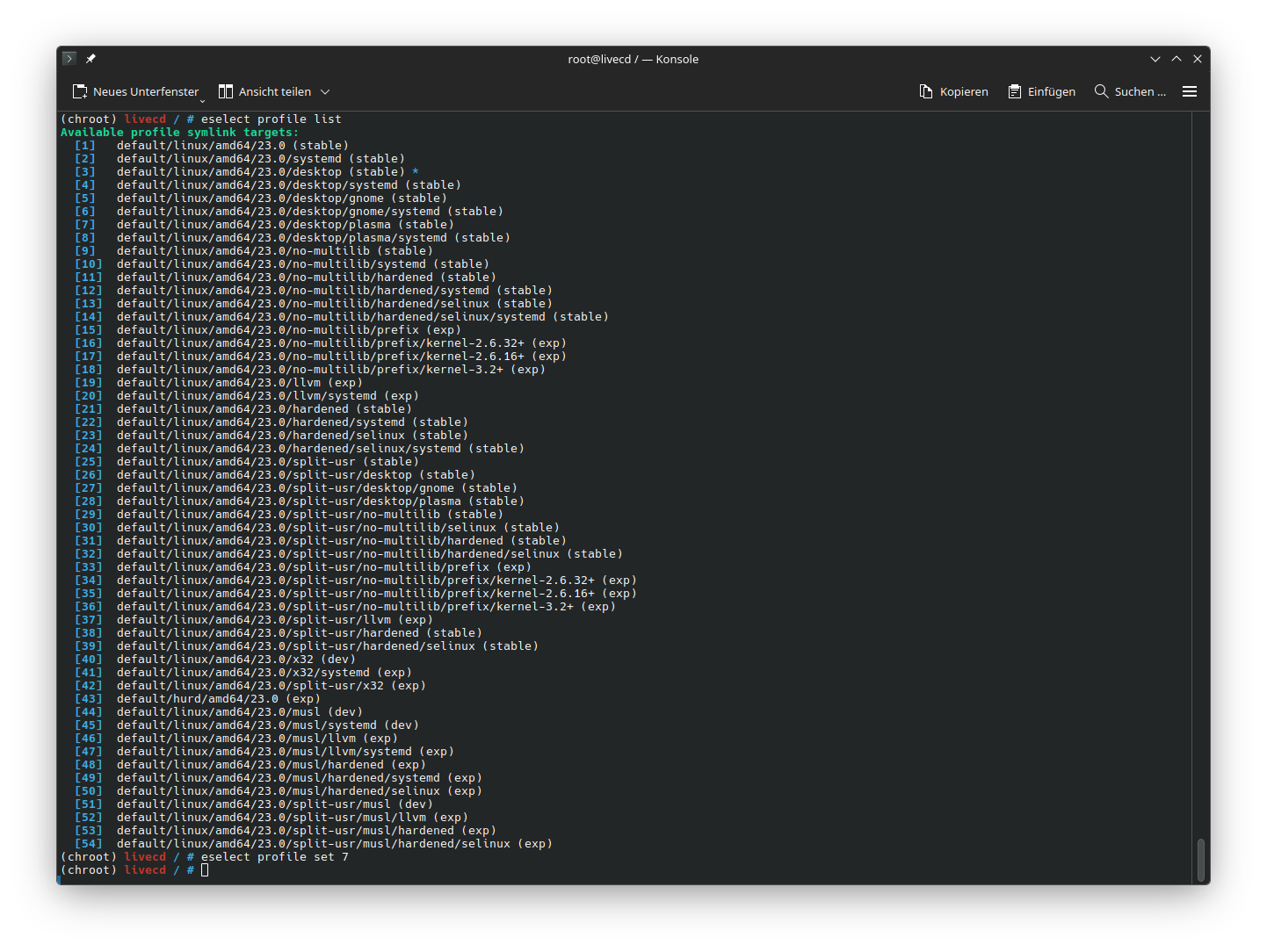
Set the default/linux/amd64/23.0/desktop/plasma (stable) Profile
eselect profile list
eselect profile set 7
#we don't do that to not mess with binhost packages
#emerge --ask --oneshot app-portage/cpuid2cpuflags
#echo "*/* $(cpuid2cpuflags)" > /etc/portage/package.use/00cpu-flags
Set the GPU
The most commonly used GPUs are
- virgl, QEMU/KVM virtio GPU
- d3d12, WSL2 virtual Windows GPU
- amdgpu radeonsi, AMD GPUs
- intel, iGPUs/dGPUs
- nouveau, NVidia GPUs (free)
- nvidia, NVidia GPUs (proprietary)
echo "*/* VIDEO_CARDS: -* virgl" > /etc/portage/package.use/00video_cards
Set the acceptable licenses
echo 'ACCEPT_LICENSE="-* @FREE @BINARY-REDISTRIBUTABLE"' >> /etc/portage/make.conf
Set use flags
echo 'USE="${USE} elogind -systemd wayland kde plasma sddm pipewire pulseaudio udev elogind dbus policykit bluetooth networkmanager opengl vulkan qt6"' >> /etc/portage/make.conf
Updating the @world set
emerge --ask --verbose --update --deep --newuse --getbinpkg @world
emerge news
Portage may output informational messages similar to the following:
* IMPORTANT: 22 news items need reading for repository 'gentoo'.
* Use eselect news to read news items.
News items were created to provide a communication medium to push critical messages to users via the Gentoo ebuild repository.
To manage them, use eselect news.
The eselect application is a Gentoo-specific utility that allows for a common management interface for system administration.
In this case, eselect is asked to use its news module.
For the news module, three operations are most used:
- With
eselect news listan overview of the available news items is displayed. - With
eselect news readthe news items can be read. - With
eselect news purgenews items can be removed once they have been read and will not be reread anymore.
Clean Up
emerge --ask --pretend --depclean
emerge --ask --depclean
User Configuration
Set root user account password
passwd root
Create main user account and set password
useradd -m -G wheel,kvm,users,audio -s /bin/bash uwe
passwd uwe
Install and configure Doas
emerge --ask app-admin/doas
echo "permit persist :wheel" > /etc/doas.conf
chown -c root:root /etc/doas.conf
chmod -c 0400 /etc/doas.conf
Set the hostname
echo myhostname > /etc/hostname
Set the Timezone
The Timezone is set to CET
Adjust accordingly.
ln -sf ../usr/share/zoneinfo/Europe/Berlin /etc/localtime
Configure locales
The locales are set to en_US (English, USA) and de_DE (German, Germany)
Adjust accordingly.
Configure /etc/local.gen
cat << 'EOF' > /etc/locale.gen
en_US.UTF-8 UTF-8
de_DE.UTF-8 UTF-8
EOF
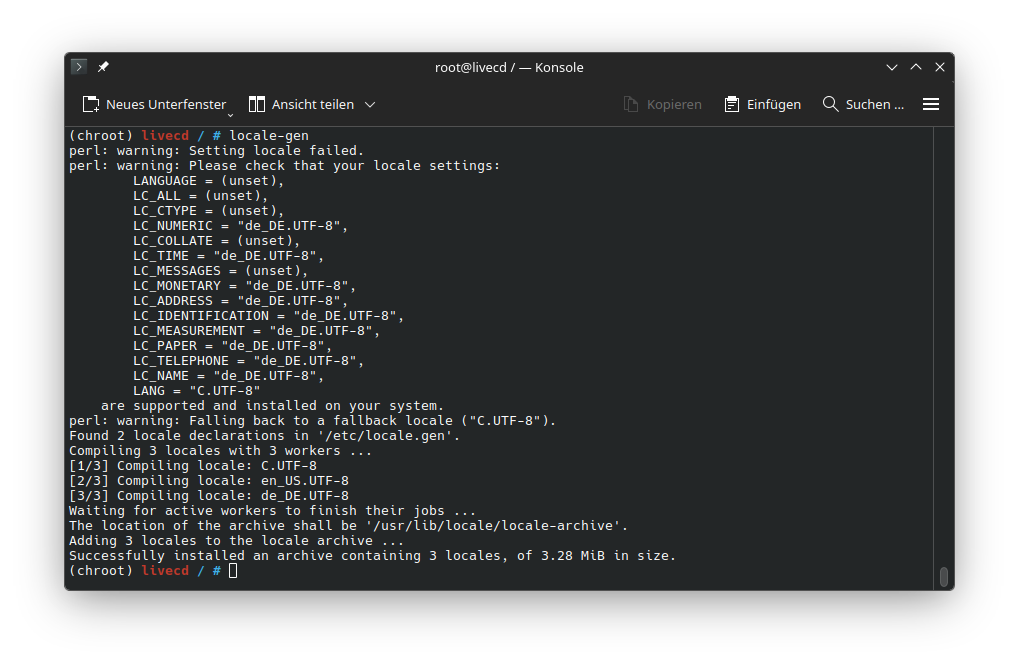
Generate locales
locale-gen
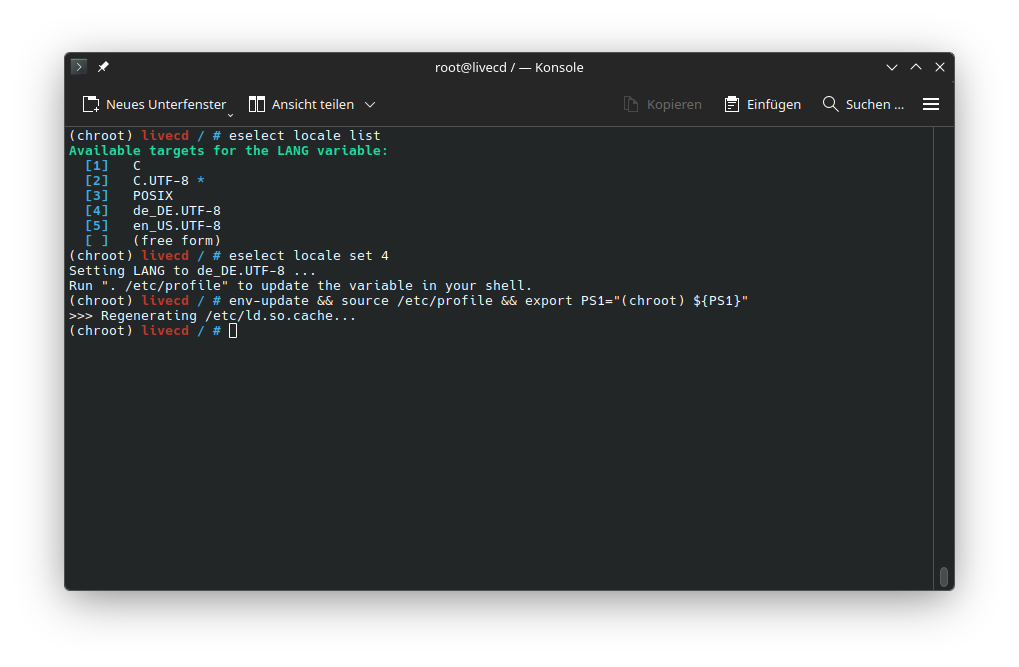
Set the system default locale
eselect locale list
eselect locale set 4
Reload session with the new local
env-update && source /etc/profile && export PS1="(chroot) ${PS1}"
Configure keymaps
cat << 'EOF' > /etc/conf.d/keymaps
# Use keymap to specify the default console keymap.  There is a complete tree
# of keymaps in /usr/share/keymaps to choose from.
keymap="de-latin1-nodeadkeys"

# Should we first load the 'windowkeys' console keymap?  Most x86 users will
# say "yes" here.  Note that non-x86 users should leave it as "no".
# Loading this keymap will enable VT switching (like ALT+Left/Right)
# using the special windows keys on the linux console.
windowkeys="YES"

# The maps to load for extended keyboards.  Most users will leave this as is.
extended_keymaps=""
#extended_keymaps="backspace keypad euro2"

# Tell dumpkeys(1) to interpret character action codes to be
# from the specified character set.
# This only matters if you set unicode="yes" in /etc/rc.conf.
# For a list of valid sets, run `dumpkeys --help`
dumpkeys_charset=""

# Some fonts map AltGr-E to the currency symbol instead of the Euro.
# To fix this, set to "yes"
fix_euro="NO"
EOF
Generate Machine ID
dbus-uuidgen --ensure=/etc/machine-id
Install NetworkManager
echo 'USE="${USE} networkmanager"' >> /etc/portage/make.conf
emerge --ask net-misc/networkmanager
rc-update add NetworkManager default
Install syslog-ng
emerge --ask app-admin/syslog-ng
emerge --ask app-admin/logrotate
rc-update add syslog-ng default
Install Cron
emerge --ask sys-process/cronie
rc-update add cronie default
Install NTP
emerge --ask net-misc/chrony
rc-update add chronyd default
Enable sshd
rc-update add sshd default
Install File indexing
emerge --ask sys-apps/mlocate
Install bash completion
emerge --ask app-shells/bash-completion
Install gentoolkit
emerge --ask app-portage/gentoolkit
Install File Sytem tools
emerge --ask sys-fs/cryptsetup
emerge --ask sys-fs/btrfs-progs
emerge --ask sys-fs/dosfstools
emerge --ask sys-fs/xfsprogs
emerge --ask sys-fs/e2fsprogs
emerge --ask sys-fs/ntfs3g
emerge --ask sys-fs/f2fs-tools
emerge --ask sys-fs/mdadm
emerge --ask dev-python/zstandard
emerge --ask sys-block/io-scheduler-udev-rules
Install the Logical Volume Manager
Set the USAGE flag
cat << 'EOF' >> /etc/portage/package.use/lvm2
#Enable support for the LVM daemon and related tools
sys-fs/lvm2 lvm
EOF
Install and enable LVM
emerge --ask sys-fs/lvm2
rc-update add lvm boot
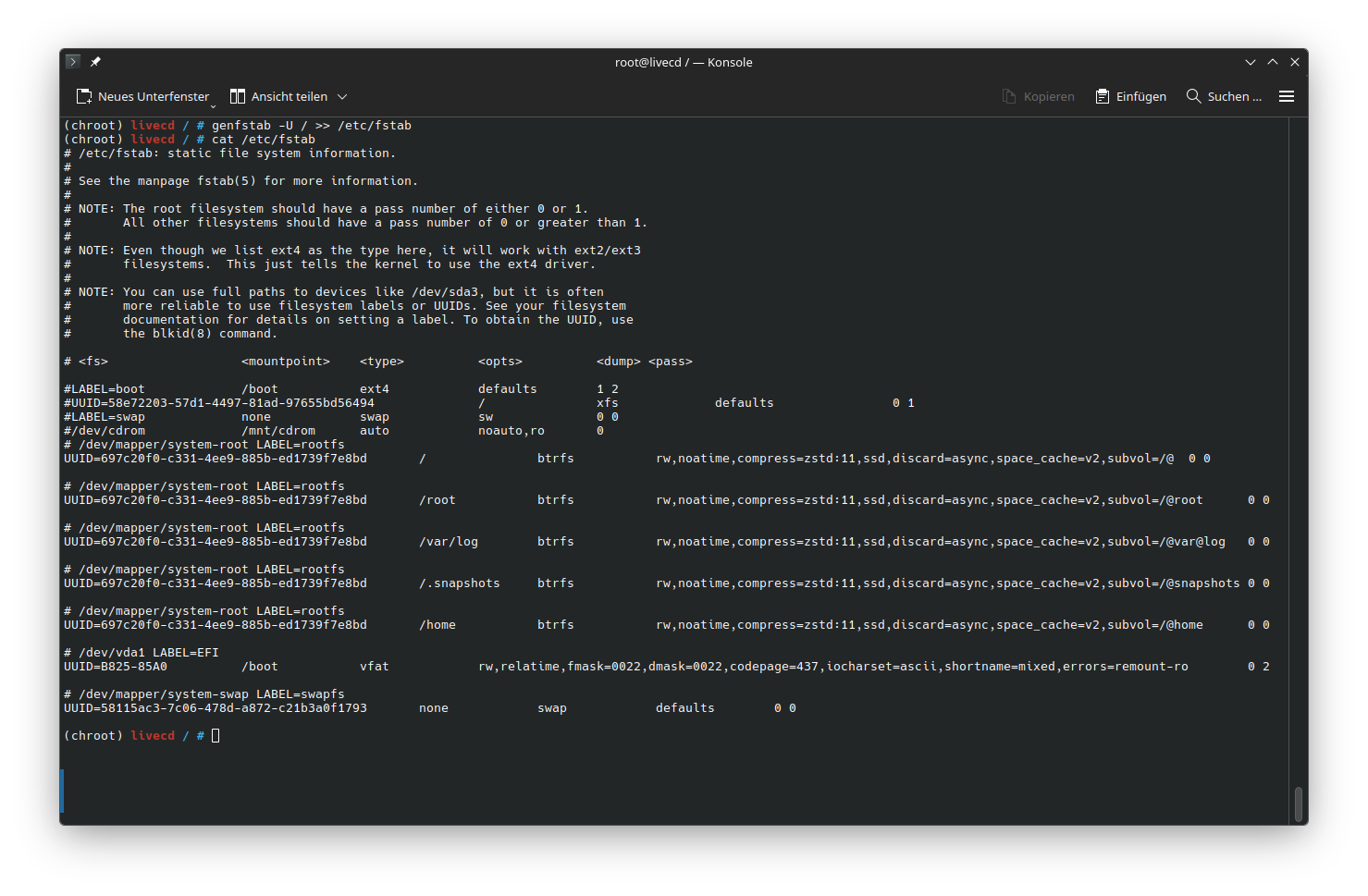
Build /etc/fstab
emerge --ask sys-fs/genfstab
genfstab -U / >> /etc/fstab
check generated file
cat /etc/fstab
Build /etc/crypttab
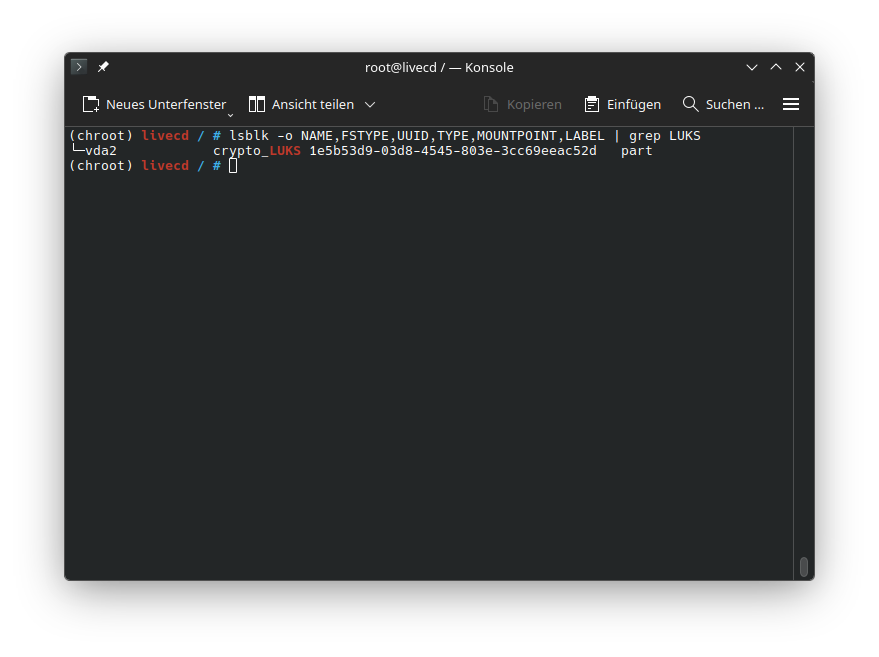
Get the UUID for the LUKS Container on /dev/vda2
lsblk -o NAME,FSTYPE,UUID,TYPE,MOUNTPOINT,LABEL
Write /etc/crypttab
echo "crypt UUID=1e5b53d9-03d8-4545-803e-3cc69eeac52d none luks,discard" > /etc/crypttab
Install Linux Firmware
emerge --ask sys-kernel/linux-firmware
emerge --ask sys-firmware/sof-firmware
Install the Linux Kernel
Make sure that ugrd and grub are used by the kernel
cat << 'EOF' >> /etc/portage/package.use/installkernel
sys-kernel/installkernel -dracut ugrd grub
EOF
Make sure that Grub uses the EFI
echo 'GRUB_PLATFORMS="efi-64"' >> /etc/portage/make.conf
make sure that external kmods get auto rebuild
echo 'USE="${USE} dist-kernel"' >> /etc/portage/make.conf
Misc config (not needed?)
mkdir -p /etc/kernel
echo "quiet splash" > /etc/kernel/cmdline
mkdir -p /etc/cmdline.d
ln -s /etc/kernel/cmdline /etc/cmdline.d/00-installkernel.conf
Install the gentoo default kernel binary
emerge --ask sys-kernel/gentoo-kernel-bin
Installkernel can be re-emerged and will pull UGRD
emerge -ask sys-kernel/installkernel
Install ZFS support
emerge --ask sys-fs/zfs
To force an initramfs rebuild, emerge –config can be used on dist-kernel packages:
emerge --config sys-kernel/gentoo-kernel-bin
Install GRUB
emerge --ask sys-boot/grub
grub-install --efi-directory=/boot
grub-mkconfig -o /boot/grub/grub.cfg
emerge sys-kernel/installkernel[grub]
Install some tools
emerge dev-vcs/git
emerge sys-process/btop
emerge app-misc/fastfetch
emerge app-misc/tmux
(optional) QEMU/KVM VM guest agent services
emerge --ask app-emulation/spice-vdagent
emerge --ask app-emulation/qemu-guest-agent
rc-update add spice-vdagent default
rc-service spice-vdagent start
rc-update add qemu-guest-agent default
rc-service qemu-guest-agent start
Install KDE
emerge --ask kde-plasma/plasma-meta kde-apps/kde-apps-meta
emerge --ask gui-libs/display-manager-init
Update @world set
emerge --ask --verbose --update --deep --changed-use @world
enable elogind
rc-update add elogind boot
Install SDDM
emerge --ask x11-misc/sddm
emerge --ask kde-plasma/sddm-kcm

usermod -a -G video sddm
cat << 'EOF' > /etc/conf.d/display-manager
CHECKVT=7
DISPLAYMANAGER="sddm"
EOF

cat << 'EOF' > /etc/sddm.conf
[Users]
MaximumUid=60000
MinimumUid=1000
EOF

rc-update add display-manager default
rc-service display-manager start
Enable seatd
echo "sys-auth/seatd server" > /etc/portage/package.use/seatd
emerge sys-auth/seatd
rc-update add seatd default
rc-service seatd start
usermod -aG seat sddm
usermod -aG seat uwe
Cleanup
eclean-dist
eclean-pkg
rm /stage3-*.tar.*
All done time to exit the chroot
exit
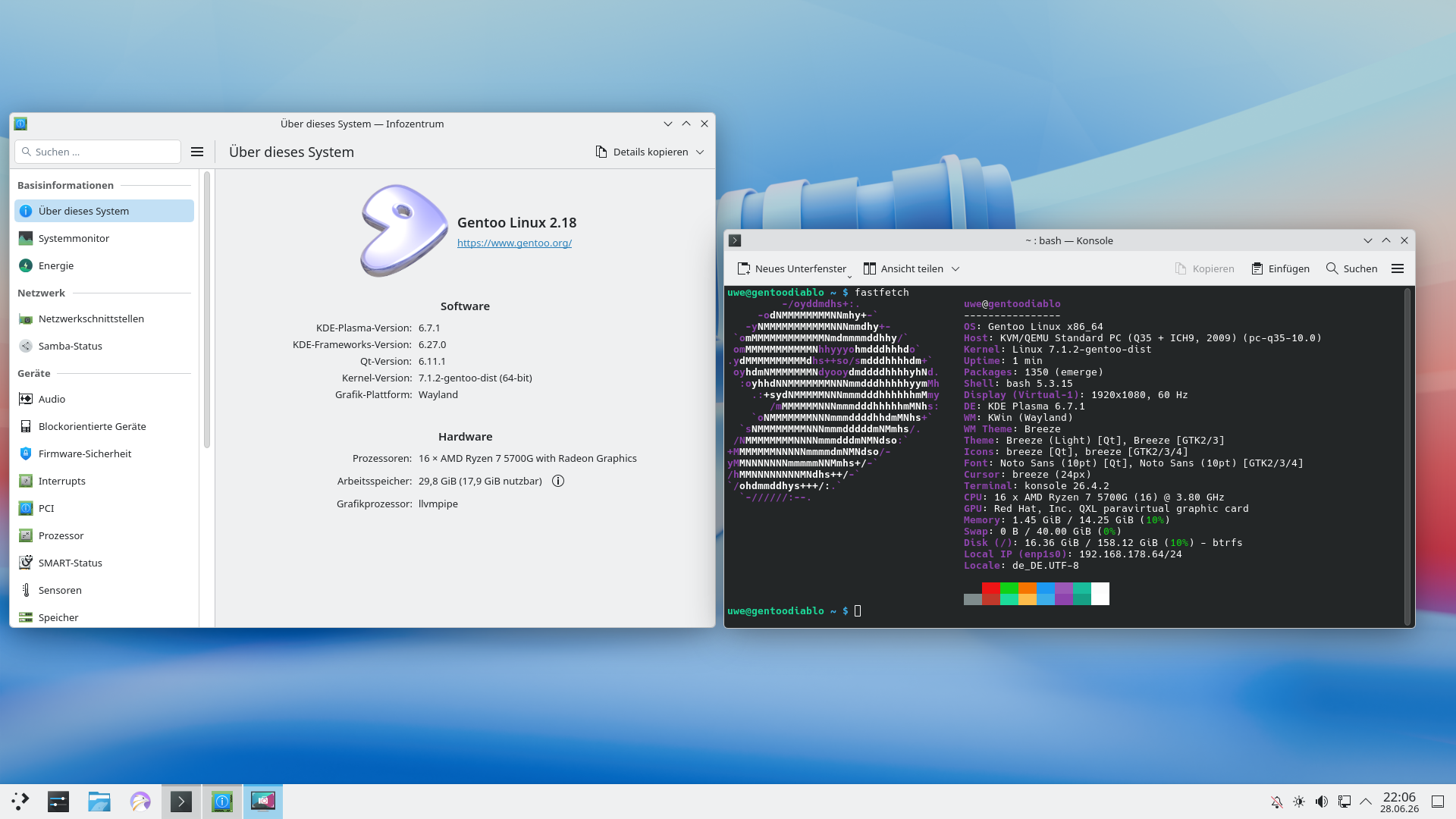
And reboot the machine
sudo reboot
QEMU KVM config
<domain type="kvm">
  <name>Gentoo</name>
  <uuid>d33ee995-4d99-4763-a888-e4f0166dc495</uuid>
  <metadata>
    <libosinfo:libosinfo xmlns:libosinfo="http://libosinfo.org/xmlns/libvirt/domain/1.0">
      <libosinfo:os id="http://almalinux.org/almalinux/10"/>
    </libosinfo:libosinfo>
  </metadata>
  <memory unit="KiB">31250432</memory>
  <currentMemory unit="KiB">15625216</currentMemory>
  <memoryBacking>
    <source type="memfd"/>
    <access mode="shared"/>
  </memoryBacking>
  <vcpu placement="static">16</vcpu>
  <os firmware="efi">
    <type arch="x86_64" machine="pc-q35-10.0">hvm</type>
    <firmware>
      <feature enabled="no" name="enrolled-keys"/>
      <feature enabled="no" name="secure-boot"/>
    </firmware>
    <loader readonly="yes" type="pflash" format="raw">/usr/share/OVMF/OVMF_CODE_4M.fd</loader>
    <nvram template="/usr/share/OVMF/OVMF_VARS_4M.fd" templateFormat="raw" format="raw">/var/lib/libvirt/qemu/nvram/Gentoo_VARS.fd</nvram>
    <bootmenu enable="no"/>
  </os>
  <features>
    <acpi/>
    <apic/>
    <vmport state="off"/>
  </features>
  <cpu mode="host-passthrough" check="none" migratable="on"/>
  <clock offset="utc">
    <timer name="rtc" tickpolicy="catchup"/>
    <timer name="pit" tickpolicy="delay"/>
    <timer name="hpet" present="no"/>
  </clock>
  <on_poweroff>destroy</on_poweroff>
  <on_reboot>restart</on_reboot>
  <on_crash>destroy</on_crash>
  <pm>
    <suspend-to-mem enabled="no"/>
    <suspend-to-disk enabled="no"/>
  </pm>
  <devices>
    <emulator>/usr/bin/qemu-system-x86_64</emulator>
    <disk type="file" device="cdrom">
      <driver name="qemu" type="raw"/>
      <target dev="sda" bus="sata"/>
      <readonly/>
      <address type="drive" controller="0" bus="0" target="0" unit="0"/>
    </disk>
    <disk type="block" device="disk">
      <driver name="qemu" type="raw" cache="directsync" io="native" discard="unmap"/>
      <source dev="/dev/VMs/gentoo_delme"/>
      <target dev="vda" bus="virtio"/>
      <boot order="1"/>
      <address type="pci" domain="0x0000" bus="0x07" slot="0x00" function="0x0"/>
    </disk>
    <controller type="usb" index="0" model="qemu-xhci" ports="15">
      <address type="pci" domain="0x0000" bus="0x02" slot="0x00" function="0x0"/>
    </controller>
    <controller type="pci" index="0" model="pcie-root"/>
    <controller type="pci" index="1" model="pcie-root-port">
      <model name="pcie-root-port"/>
      <target chassis="1" port="0x10"/>
      <address type="pci" domain="0x0000" bus="0x00" slot="0x02" function="0x0" multifunction="on"/>
    </controller>
    <controller type="pci" index="2" model="pcie-root-port">
      <model name="pcie-root-port"/>
      <target chassis="2" port="0x11"/>
      <address type="pci" domain="0x0000" bus="0x00" slot="0x02" function="0x1"/>
    </controller>
    <controller type="pci" index="3" model="pcie-root-port">
      <model name="pcie-root-port"/>
      <target chassis="3" port="0x12"/>
      <address type="pci" domain="0x0000" bus="0x00" slot="0x02" function="0x2"/>
    </controller>
    <controller type="pci" index="4" model="pcie-root-port">
      <model name="pcie-root-port"/>
      <target chassis="4" port="0x13"/>
      <address type="pci" domain="0x0000" bus="0x00" slot="0x02" function="0x3"/>
    </controller>
    <controller type="pci" index="5" model="pcie-root-port">
      <model name="pcie-root-port"/>
      <target chassis="5" port="0x14"/>
      <address type="pci" domain="0x0000" bus="0x00" slot="0x02" function="0x4"/>
    </controller>
    <controller type="pci" index="6" model="pcie-root-port">
      <model name="pcie-root-port"/>
      <target chassis="6" port="0x15"/>
      <address type="pci" domain="0x0000" bus="0x00" slot="0x02" function="0x5"/>
    </controller>
    <controller type="pci" index="7" model="pcie-root-port">
      <model name="pcie-root-port"/>
      <target chassis="7" port="0x16"/>
      <address type="pci" domain="0x0000" bus="0x00" slot="0x02" function="0x6"/>
    </controller>
    <controller type="pci" index="8" model="pcie-root-port">
      <model name="pcie-root-port"/>
      <target chassis="8" port="0x17"/>
      <address type="pci" domain="0x0000" bus="0x00" slot="0x02" function="0x7"/>
    </controller>
    <controller type="pci" index="9" model="pcie-root-port">
      <model name="pcie-root-port"/>
      <target chassis="9" port="0x18"/>
      <address type="pci" domain="0x0000" bus="0x00" slot="0x03" function="0x0" multifunction="on"/>
    </controller>
    <controller type="pci" index="10" model="pcie-root-port">
      <model name="pcie-root-port"/>
      <target chassis="10" port="0x19"/>
      <address type="pci" domain="0x0000" bus="0x00" slot="0x03" function="0x1"/>
    </controller>
    <controller type="pci" index="11" model="pcie-root-port">
      <model name="pcie-root-port"/>
      <target chassis="11" port="0x1a"/>
      <address type="pci" domain="0x0000" bus="0x00" slot="0x03" function="0x2"/>
    </controller>
    <controller type="pci" index="12" model="pcie-root-port">
      <model name="pcie-root-port"/>
      <target chassis="12" port="0x1b"/>
      <address type="pci" domain="0x0000" bus="0x00" slot="0x03" function="0x3"/>
    </controller>
    <controller type="pci" index="13" model="pcie-root-port">
      <model name="pcie-root-port"/>
      <target chassis="13" port="0x1c"/>
      <address type="pci" domain="0x0000" bus="0x00" slot="0x03" function="0x4"/>
    </controller>
    <controller type="pci" index="14" model="pcie-root-port">
      <model name="pcie-root-port"/>
      <target chassis="14" port="0x1d"/>
      <address type="pci" domain="0x0000" bus="0x00" slot="0x03" function="0x5"/>
    </controller>
    <controller type="sata" index="0">
      <address type="pci" domain="0x0000" bus="0x00" slot="0x1f" function="0x2"/>
    </controller>
    <controller type="virtio-serial" index="0">
      <address type="pci" domain="0x0000" bus="0x03" slot="0x00" function="0x0"/>
    </controller>
    <controller type="scsi" index="0" model="virtio-scsi">
      <address type="pci" domain="0x0000" bus="0x04" slot="0x00" function="0x0"/>
    </controller>
    <interface type="network">
      <mac address="52:54:00:55:68:b9"/>
      <source network="bridged-network"/>
      <model type="virtio"/>
      <address type="pci" domain="0x0000" bus="0x01" slot="0x00" function="0x0"/>
    </interface>
    <serial type="pty">
      <target type="isa-serial" port="0">
        <model name="isa-serial"/>
      </target>
    </serial>
    <console type="pty">
      <target type="serial" port="0"/>
    </console>
    <channel type="unix">
      <target type="virtio" name="org.qemu.guest_agent.0"/>
      <address type="virtio-serial" controller="0" bus="0" port="1"/>
    </channel>
    <channel type="spicevmc">
      <target type="virtio" name="com.redhat.spice.0"/>
      <address type="virtio-serial" controller="0" bus="0" port="2"/>
    </channel>
    <input type="mouse" bus="ps2"/>
    <input type="keyboard" bus="ps2"/>
    <tpm model="tpm-crb">
      <backend type="emulator" version="2.0"/>
    </tpm>
    <graphics type="spice" autoport="yes">
      <listen type="address"/>
    </graphics>
    <sound model="ich9">
      <address type="pci" domain="0x0000" bus="0x00" slot="0x1b" function="0x0"/>
    </sound>
    <audio id="1" type="spice"/>
    <video>
      <model type="qxl" ram="65536" vram="65536" vgamem="16384" heads="1" primary="yes">
        <acceleration accel3d="no"/>
      </model>
      <address type="pci" domain="0x0000" bus="0x00" slot="0x01" function="0x0"/>
    </video>
    <redirdev bus="usb" type="spicevmc">
      <address type="usb" bus="0" port="2"/>
    </redirdev>
    <redirdev bus="usb" type="spicevmc">
      <address type="usb" bus="0" port="3"/>
    </redirdev>
    <watchdog model="itco" action="reset"/>
    <memballoon model="virtio">
      <address type="pci" domain="0x0000" bus="0x05" slot="0x00" function="0x0"/>
    </memballoon>
    <rng model="virtio">
      <backend model="random">/dev/urandom</backend>
      <address type="pci" domain="0x0000" bus="0x06" slot="0x00" function="0x0"/>
    </rng>
  </devices>
</domain>